Announcement: Upcoming changes to the account pages in Mindmatrix Bridge
Below
are some basic screenshots, comparing the accounts page in v4 vs v5.
- Account Grid page V4 : Currently, users do not have the option to perform quick actions on select account records.
- Account grid page V5 : In version 5, you can now select an account and perform multiple actions, including: sharing, deleting, or editing the account record.
- Account V5 also includes additional options in addition to the base action options that were previously unavailable, such as sending emails, viewing assets, adding to drip campaigns or executing plays.
- Account V4 – Common 3 dots action option is present
- Account V5 – Overview page : Additional options have been added in the Action and More sections.
5. Account V5: You can now cancel/save as you work on an
account record.
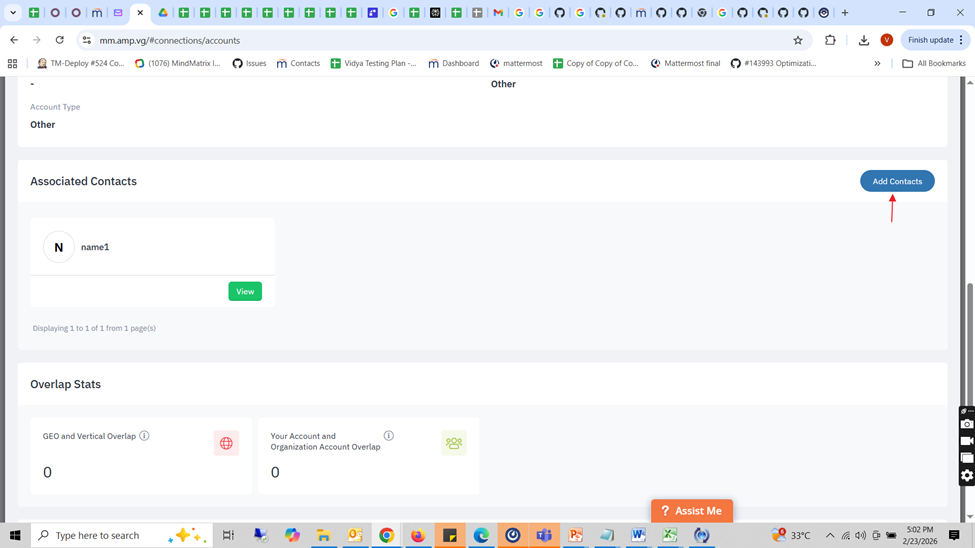
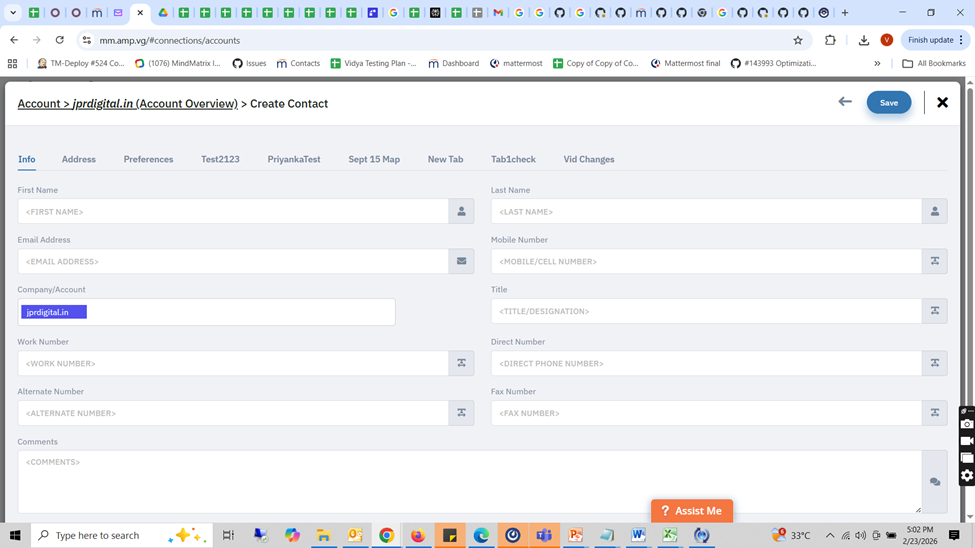
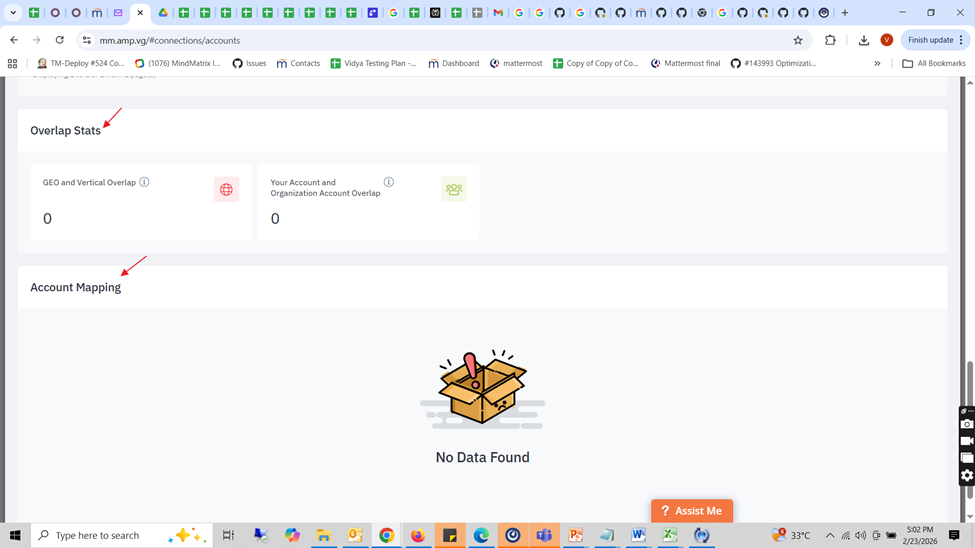
6. Accounts – Add contact page:
Related Articles
How to request changes to your Mindmatrix website
Once your new website by Mindmatrix is launched, you can request changes on a monthly basis. Your website changes will be published around 30 days of your initial request. Escalated timelines may be requested, but please note that the Mindmatrix team ...How to Delete Accounts from Account Lists?
How to Delete Accounts from Account Lists? The Mindmatrix Bridge platform provides the ability to delete accounts directly from the Account List Preview page. Administrators can delete individual accounts, bulk delete multiple accounts, and ...Announcement - Inactive user account management for non-SSO users, July 2025
After July 4, 2025 Mindmatrix is implementing several changes designed to enhance the security of user accounts for all clients. 1. Inactive account management Accounts with no activity for 180 days will be prompted to login or their accounts will be ...How do I send Mindmatrix emails through Gmail?
Users can send Mindmatrix emails through their Gmail account, (as in the email will use a Mindmatrix template, but will appear to have come from Gmail), however, this will only work if the email is being sent to 5 or fewer contacts. If a list is ...How use the Mindmatrix Mobile App
Part One: Download the mobile app. Search for “Mindmatrix” on your mobile devices. On Android you will find “Mindmatrix AMP Tools”. On iPhone, select “Mindmatrix Inc”. The app should now be accessible from your device. Part Two: The Dashboard Click ...